

Someone in your batch just landed a data analyst role in Hinjewadi.
You heard what they earn and started searching for how to become a data analyst in Pune. Now you have 20 tabs open. One says learn Python first, another says Excel is enough, and someone on YouTube has already convinced you that you need advanced statistics before you can even apply. And if you are not yet sure analytics is the right field for you, read data analytics vs data science first.
You don’t.
If you are starting from BCom, BBA, BSc, engineering, or another non-CS background, the path is much more straightforward than the internet makes it look. You need the right tools in the right order, enough practice to use them without a tutorial beside you, and projects that prove you can answer a business question with data.
Quick answer: How to become a data analyst in Pune in 2026
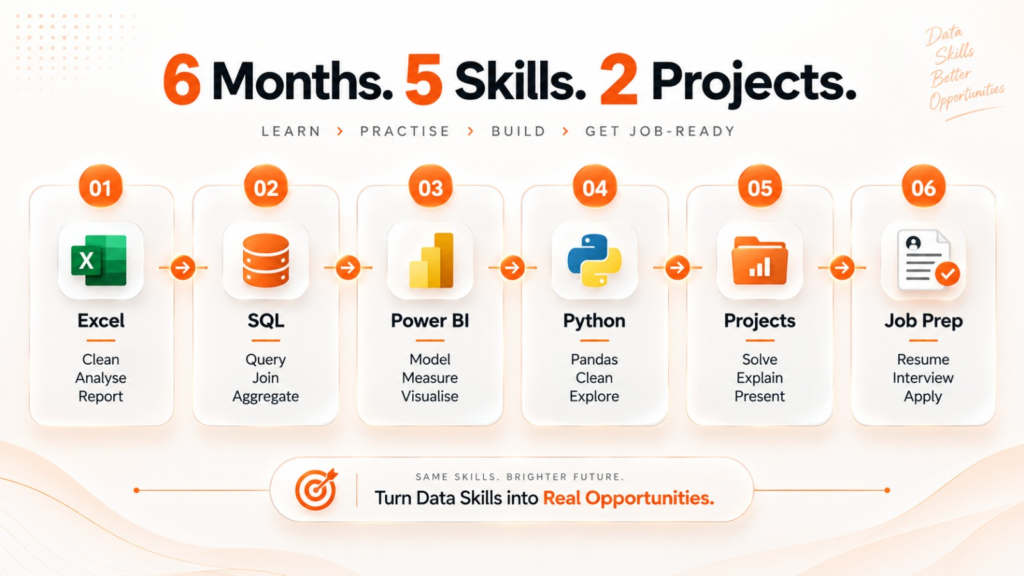
If you want the short version before getting into the details, this is the data analyst roadmap for beginners in Pune:
| Stage | What to learn | Approximate timeline |
| 1 | Excel and Advanced Excel | Weeks 1 to 4 |
| 2 | SQL | Weeks 3 to 8 |
| 3 | Power BI or Tableau | Weeks 7 to 14 |
| 4 | Python basics and Pandas | Months 4 to 5 |
| 5 | Two domain-specific portfolio projects | Months 5 to 6 |
| 8 | Resume, LinkedIn, mock interviews, and applications | Month 6 |
You do not need a computer science degree or previous coding experience to start. A realistic job-ready timeline is around six months with consistent, structured practice. Analytics Insight’s 2026 India career guide also describes four to six months as a practical learning window for entry-level candidates.
For Pune, fresher data analyst salaries generally fall in the ₹3 LPA to ₹6 LPA range, with the higher end associated with stronger SQL, Power BI, or Tableau skills and practical projects. These figures reflect market data and vary by company, skills, and portfolio.
The order matters more than collecting every tool you can find.
What do data analysts actually do?
The spreadsheet usually arrives before the fancy dashboard.
A typical analyst might receive sales data containing thousands of rows, customer IDs, dates, product categories, and transaction values. The first job is not to make it look pretty. It is to figure out whether the data is complete, whether the numbers make sense, and what question the business actually needs answered.
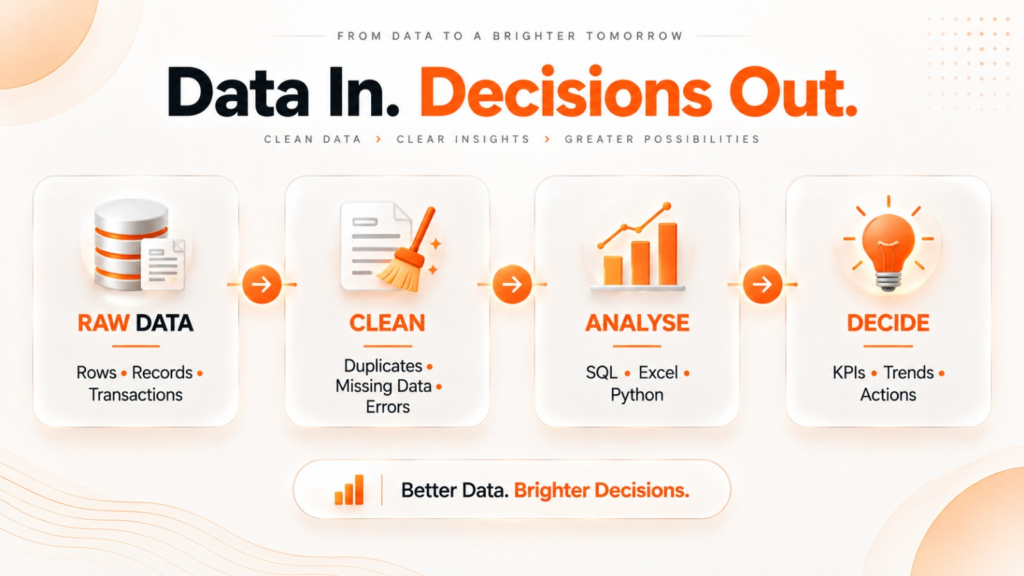
Data can be extracted from databases using SQL, cleaned using Excel or Python, and then a Power BI dashboard created to show revenue per month, regional performance, and the products driving the sudden fall in revenue. Some time later, a marketing manager inquires about why a certain customer group has vanished.
That is the core loop.
The daily work
At entry level, expect plenty of practical work: writing SQL queries, cleaning spreadsheets, checking duplicate records, updating reports, creating dashboards, and preparing KPI reports. You may also spend part of the day explaining a finding to someone who does not care how your SQL query worked. They just want to know what changed and what they should do about it.
That last part is easy to underestimate.
A dashboard showing revenue down 12% is not the insight. Finding that the decline came almost entirely from one product category in two regions is much closer to one.
What data analysts are not doing
You are not expected to build machine learning models on day one. That belongs more naturally to data science.
You are also not expected to write complex production software or manage database infrastructure. Software development and database administration are different tracks.
Data analytics sits between raw information and business decisions. That is one reason the field can work well for people who understand business, finance, operations or commerce but do not come from a programming-heavy degree.
Who hires data analysts in Pune?
The market is not limited to one kind of company.
Pune has analytics opportunities across BFSI and GCC operations around Kharadi and Viman Nagar, IT services, manufacturing across the PCMC belt, e-commerce, retail, healthcare, and startups around areas such as Baner and Balewadi. Entry-level titles can also vary. You may see Junior Data Analyst, Reporting Analyst, MIS Executive, BI Analyst, Data Analyst Trainee, or Junior Business Analyst for roles with overlapping responsibilities.
CyberSuccess’s Pune guide similarly notes that entry-level roles range from reporting-heavy Excel positions to SQL and dashboard-focused analyst roles.
So do not search only for the exact phrase “Data Analyst.
Why Pune is a strong market for data analyst jobs in 2026
Pune’s advantage is the variety.
A fresher looking for data analyst jobs in Pune is not relying entirely on one sector. Kharadi and Viman Nagar have a strong BFSI and GCC presence. Hinjewadi has a large IT ecosystem. The PCMC industrial belt creates demand for operational and manufacturing reporting. Retail, healthcare, e-commerce, and smaller technology companies add other entry points.
According to Analytics Vidhya’s India Analytics Hiring Report 2026, as reported by Analytics Insight, demand for data professionals grew 34% year over year while talent supply grew 18%.
That is a useful signal, but don’t misread it as “companies are desperate for anyone who knows Excel.” They are not.
The gap is between people who have heard of Power BI and people who can actually build a dashboard. Between people who watched a SQL course and people who can write a three-table JOIN without copying the answer. Between a portfolio that says “sales analysis project” and one that can explain why a particular region lost revenue.
Analytics Insight’s India data analyst career guide 2026
That is where the opportunity becomes relevant to you.
The tools you actually need to get hired as a data analyst in Pune
The biggest beginner mistake is trying to learn everything.
Python, R, SQL, Power BI, Tableau, Machine learning, Cloud, Statistics. Maybe some AI because someone on Instagram said analysts will be replaced otherwise.
Stop.
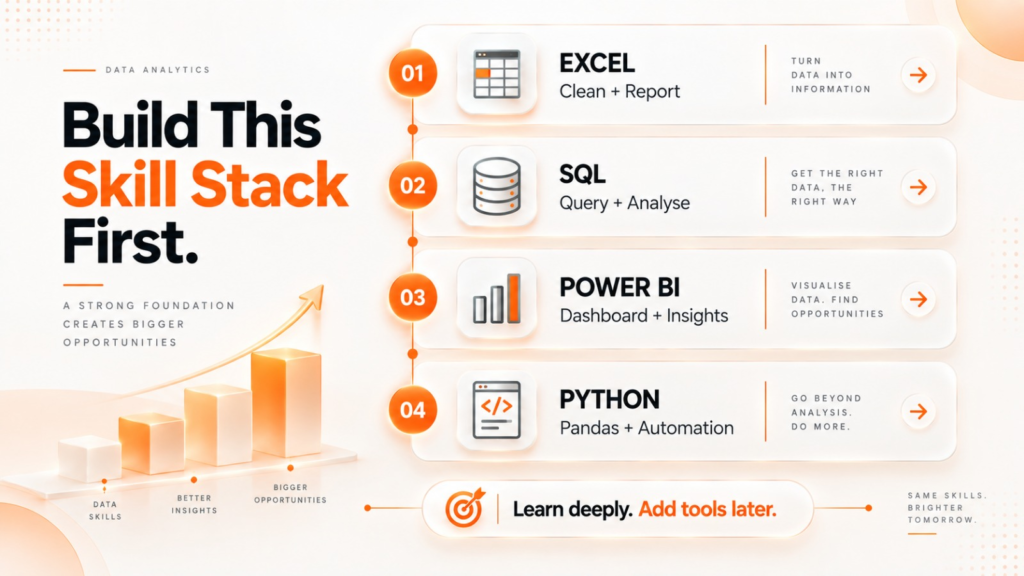
A strong beginner profile needs depth in a small number of tools first.
Excel and Advanced Excel: the foundation nobody talks about enough
Do not treat Excel as something you will “already know” because you used it in college.
For an Excel skill set for a data analyst in India, you should be comfortable with PivotTables, XLOOKUP, VLOOKUP, IF, AND, OR, conditional formatting, sorting, filtering, data validation, and basic data cleaning.
You should be able to open a messy spreadsheet and work out what is wrong with it without watching a 40-minute tutorial first.
Excel is particularly useful in reporting-heavy analyst and MIS roles, where recurring reports, reconciliations and business summaries still matter.
SQL: the non-negotiable
SQL is where your learning starts feeling like actual analytics.
Learn SELECT and filtering first. Then aggregation, GROUP BY and HAVING. Move into INNER and LEFT JOINs, subqueries, and once those feel comfortable, window functions such as RANK and ROW_NUMBER.
The real test is not whether you remember the syntax. Can you join a customer table to an orders table, calculate revenue by region, remove inactive customers, and rank the top-performing products?
According to Analytics Insight, citing Glassdoor India data from March 2026, analysts combining SQL with Power BI or Tableau earned a 25% to 40% premium over SQL-only profiles.
That makes SQL for data analysts in India worth learning properly rather than rushing through it.
Power BI or Tableau: which should you learn first?
If you are wondering Tableau vs Power BI, which to learn, don’t spend three weeks debating it.
Start with Power BI.
Power BI is a practical first choice for corporate reporting environments, particularly if the companies you are targeting already use Microsoft’s ecosystem. Tableau is also valuable, especially for organisations where it is already part of the reporting stack.
You do not need to master both before applying.
Learn one deeply enough to build a dashboard with data modelling, filters, calculated measures, and a clear business story. Add the second later if job descriptions in your target companies keep asking for it.
Python: useful, but don’t start here
Python becomes more valuable as you move beyond basic reporting.
For an entry-level analyst, the useful part is not becoming a software developer. Learn the fundamentals, then move toward Pandas for reading, filtering, grouping, and merging datasets, followed by basic visualisation.
Python is a good fourth step because SQL and Power BI teach you how to work with data first. Starting with Python can leave a beginner spending weeks learning loops while still not knowing how to answer a basic business question.
What you do not need at the beginning
You do not need machine learning, deep learning, or advanced AI concepts to apply for an entry-level data analyst role.
You also do not need a statistics degree.
Basic descriptive statistics and analytical thinking are useful, but you can learn them alongside practical work rather than spending months studying mathematics before touching a dataset.
If you are still thinking, “But what if I actually want to get into machine learning?”, don’t choose a course just because Data Science sounds more advanced. The work is different, the skills are different, and the learning curve is different. Teknowell’s Data Science course runs for 9 months and covers Python, machine learning, deep learning, and AI, while the 6-month Data Analytics course focuses on Excel, SQL, Power BI, and Tableau.
Not sure which side fits you better? Talk to the Teknowell team and get help choosing the right course for your career goals.
The 6-month roadmap to becoming a data analyst in Pune from scratch
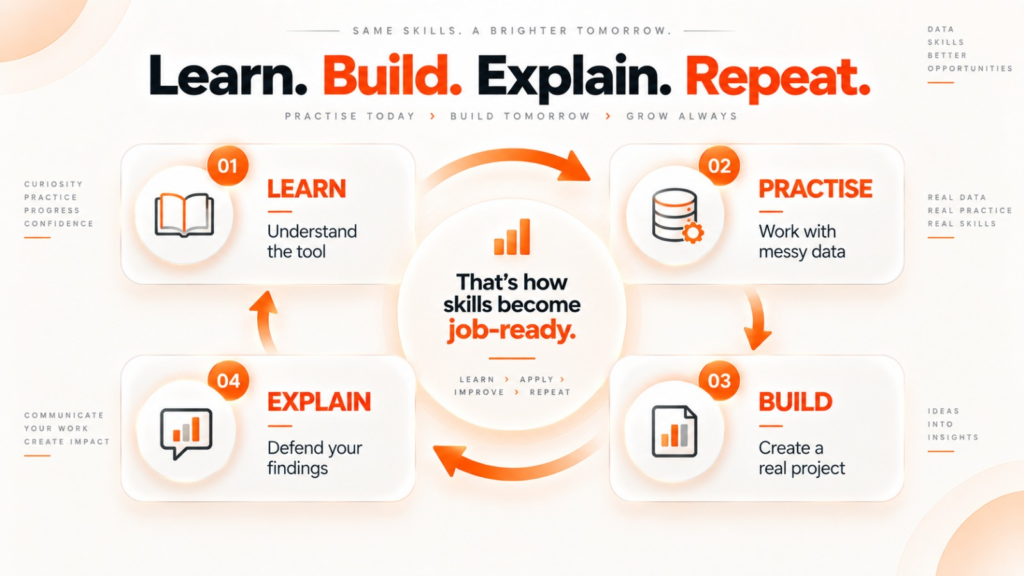
Six months is realistic when “six months” means regular practice, not six months of collecting course certificates.
Month 1: Excel and learning to think with data
The first month might seem quite normal; that’s a good sign. Start with formulas and functions and gradually move on to PivotTables, charts, XLOOKUP or VLOOKUP, IF statements, conditional formatting, and basic data cleaning.
Work with real data instead of creating examples where everything is properly formatted in all cells. At the end of the month, one needs to be able to take a 1,000-row dataset on sales, eliminate duplicates or inconsistencies in the data, create a PivotTable, and present sales per month using a chart.
Then ask yourself: Can you receive a messy spreadsheet and decide what needs cleaning without someone telling you the answer?
If not, stay here a little longer.
The common mistake at this stage is watching Excel tutorials without touching the keyboard. It feels productive because you understand the instructor while they are doing it. Try the same thing alone the next morning, and the formulas suddenly disappear from memory. Practice is what closes that gap.
Month 2 to 3: SQL from zero to interview-ready
This step will be more technical but still manageable. Start with SELECT, WHERE, and ORDER BY. Then include aggregate functions like COUNT, SUM, and AVG, together with other aggregates. Finally, study the concept of JOINs well; knowing only INNER JOIN won’t be enough when dealing with three interconnected tables.
Next, go for GROUP BY and HAVING, then subqueries, and window functions, such as RANK and ROW_NUMBER.
For your Month 3 output, create a brief SQL analysis where you will connect three tables, calculate the category-based metrics, filter the result, and find the best performers according to the ranking.
Your self-test is simple: Could you write that query on a blank screen without opening Google every two minutes?
The biggest mistake here is memorising syntax instead of solving questions. Beginners often finish a SQL course with dozens of notes and very little muscle memory. Start writing queries every day, even when the answer takes longer than expected.
Months 3 to 4: Power BI and dashboards that answer questions
A dashboard is not a collection of colourful charts.
Start with importing and cleaning data, basic data modelling, relationships, measures, and DAX fundamentals. Learn functions such as CALCULATE, SUMX, and DIVIDE, but always connect them to a question. A measure should exist because somebody needs to know something.
For example, build a sales dashboard with revenue, order volume, average order value, and regional performance. Add slicers so a manager can select a month or region and immediately see what changed.
By the end of this stage, build a three-page Power BI dashboard from a real dataset with interactive filters and a clear business story.
Ask yourself: Can someone who has never seen your dataset understand the main finding from your dashboard in under a minute?
A common mistake is decorating dashboards before understanding the data. More charts do not make an analysis smarter. If you need six colours and twelve visuals to explain one simple trend, the dashboard probably needs less, not more.
Month 4 to 5: Python basics, Pandas and visualisation
Now bring Python into the picture.
Learn variables, lists, dictionaries, loops, and functions quickly, then move into Pandas. The useful exercises are practical: read a CSV, identify missing values, filter rows, group records, merge datasets, and create summary tables.
Add Matplotlib or Seaborn for basic visualisation.
Your target is not to become a Python programmer. It is to take a messy CSV, clean it with Pandas, create five meaningful visualisations, and explain what each visual tells you.
The self-test is: Can you take a dataset you have never seen before and use Pandas to answer three sensible questions about it?
The beginner trap here is spending too long on programming theory. If your goal is analytics, do not disappear into object-oriented programming for six weeks while avoiding the dataset sitting on your laptop. Learn enough Python to manipulate data, then use it.
Months 5 to 6: Portfolio projects and job preparation
This is the point where learning needs to become proof.
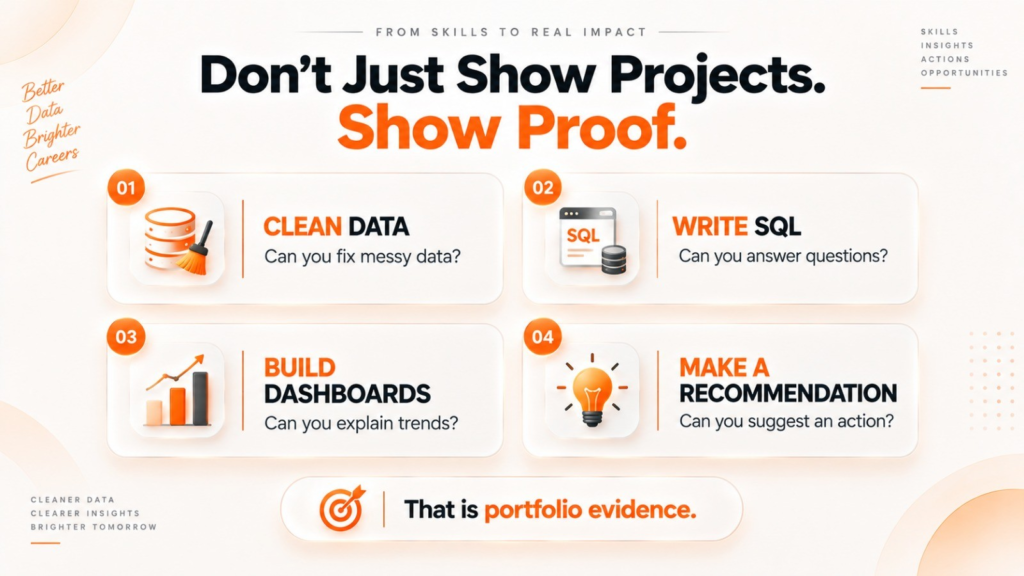
Build at least two projects around real business domains. Choose something relevant to the jobs you want, such as retail, BFSI, e-commerce, or healthcare, rather than submitting another Titanic dataset project that recruiters have seen a thousand times.
One project could analyse e-commerce orders. Start with raw data, clean it, use SQL to investigate customer and product performance, then create a Power BI dashboard showing revenue, order trends, regional performance, and repeat purchases.
Your second project could focus on a different domain and answer a different business problem.
The self-test is harder now: Can you explain your project from raw data to business recommendation without opening your notebook or dashboard for prompts?
A common mistake is building projects only for the screenshot. A dashboard that looks impressive but has no clear question behind it becomes awkward the moment an interviewer asks, “So what would the business actually do with this?”
Put your projects on GitHub with a clear README. Explain the dataset, the questions you asked, the tools used, the important findings, and what the business could do with them. Prepare your resume and LinkedIn profile around the same evidence. Then practise SQL questions, dashboard walkthroughs, and the inevitable “Tell me about your project” question.
Data analyst salary in Pune in 2026: what to realistically expect
The number that matters is not the highest salary screenshot you saw on LinkedIn.
According to CyberSuccess’s 2026 Pune entry-level data analyst guide, fresher roles in Pune generally fall between ₹3 LPA and ₹6 LPA, with Excel-heavy reporting roles toward the lower end and stronger SQL, Power BI, and Python combinations toward the higher end. These figures reflect market data and vary by company, skills, and portfolio.
The same source places Pune’s entry-level estimate around the ₹5 LPA to ₹6 LPA range based on Indeed’s local salary data. These figures reflect market data and vary by company, skills, and portfolio.
| Experience | Indicative salary range | What usually moves you toward the higher end |
| Fresher, 0 to 1 year | ₹3 LPA to ₹6 LPA | SQL, Power BI, portfolio projects |
| Junior, 1 to 3 years | ₹6 LPA to ₹9 LPA | Domain knowledge, advanced BI skills |
| Mid-level, 3 to 5 years | ₹9 LPA to ₹14 LPA | Python, advanced analytics, ownership |
| Senior, 5+ years | ₹14 LPA to ₹20 LPA | BI strategy, stakeholder management, leadership |
These figures reflect market data and vary by company, skills, and portfolio.
Do not treat the table as a promise. A fresher can land below or above these ranges depending on the employer, role, interview performance, and existing experience.
What moves you from ₹3 LPA to ₹6 LPA as a fresher?
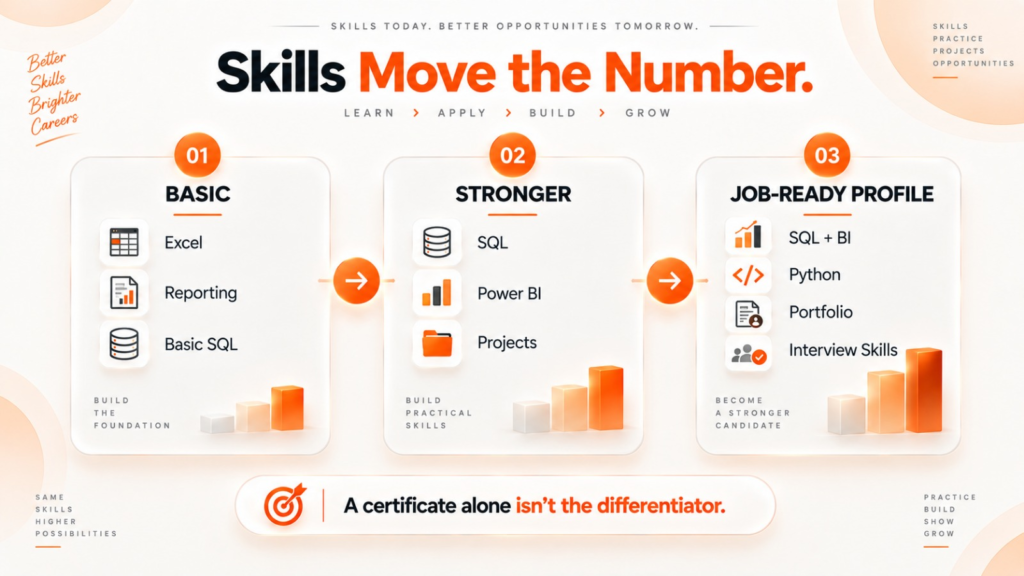
It usually isn’t another certificate.
A candidate who can write a multi-table SQL query, explain why a Power BI measure was created, walk through a real project, and clearly describe the business insight has something much more useful than a resume packed with course names.
CyberSuccess’s Pune guide makes a similar distinction between Excel-heavy entry roles and positions requiring SQL, Power BI, and stronger project evidence.
That is why the roadmap focuses on proof of work rather than simply finishing lessons.
Entry-level data analyst salaries in Pune 2026
If the roadmap above makes sense and Pune is where you are building toward, Teknowell’s 6-month Data Analytics course in Pimpri Chinchwad covers Excel, Advanced Excel, SQL, Power BI and Tableau, along with dashboard creation, data visualisation, reporting, data cleaning, business insights and KPI reporting. The course includes live projects, placement assistance, mock interviews, and an internship alongside training.
Structured course vs self-study: which makes more sense?
Self-study can absolutely work.
The catch is that you become responsible for building the roadmap, finding datasets, checking whether your SQL is correct, deciding what makes a good Power BI project, and figuring out whether your resume is actually ready. That is manageable if you are disciplined and have enough time. It becomes much harder when you are learning after college, working part-time, or jumping between ten different tutorials.
| Factor | Self-study | Structured Data Analytics course |
| Time to become job-ready | Often longer and self-paced | 6 months structured |
| Project quality | Depends on your practice | Live projects throughout |
| SQL interview preparation | Self-arranged | Mock interview |
| Dashboard practice | Depends on consistency | Structured practical work |
| Placement preparation | Self-managed | Placement assistance |
| Internship | Must find separately | Internship alongside training |
| Accountability | Entirely self-managed | Structured learning environment |
The content itself is not magic. The advantage of structure is that the difficult parts do not get pushed into “I’ll learn that later,” which is how SQL practice, projects, and interview preparation often disappear until the course is supposedly finished.
Can non-technical students become data analysts? BCom, BBA, BA, BSc
Yes, but there is one distinction worth making.
You do not need a CS degree to start learning analytics. You do need to become comfortable working with data, which means you cannot avoid practice just because your degree was non-technical.
A BCom graduate may already understand financial statements, margins and business numbers. A BBA graduate may be comfortable thinking about customers, sales and operations. A BSc graduate may already be comfortable working with quantitative information. Those backgrounds can become useful once you learn how to express those questions through Excel, SQL, and BI tools.
Coming from a non-IT background? See how freshers can get into IT without experience.
According to Analytics Insight, employers evaluate practical skills, analytical thinking, portfolio projects, and problem-solving ability rather than relying only on the undergraduate degree.
That is also why the first step should not be “learn advanced coding.” Start with a spreadsheet, understand what the numbers are doing, and build from there.
Start with the first dataset, not another roadmap
You do not need to know everything before you begin.
If you can spend the next six months learning Excel properly, getting comfortable with SQL, building useful Power BI dashboards, and creating two projects you can confidently explain in an interview, you will have something much more valuable than a long list of technologies you once watched tutorials about.
For students looking for a data analytics course in Pimpri Chinchwad, Teknowell’s structured 6-month program follows this practical direction and includes live projects, placement assistance, mock interviews, and an internship alongside training. Book a free demo class