

You have spent months learning how to code. You have made projects. You made a resume. You have applied to 80 companies. Yet, you haven’t received a single call back.
Does this sound familiar to you?
There is something that freshers often miss out on – even before the recruiter sees your resume, they search your name. What is the first thing they search for? Your GitHub profile.
If you don’t have an impressive GitHub profile, you might be missing out on many interview calls.
And here is something positive for you: building an effective GitHub portfolio is not that difficult. All you need is a proper strategy.
This article will give you an overview of everything: what does a GitHub portfolio means, what is its importance in Indian IT jobs, and finally, how can you make one.
Quick Answer: What Is a GitHub Portfolio?
A GitHub portfolio is your online GitHub profile where you showcase your coding abilities, your projects, and how often and consistently you are writing and committing code. In other words, it is your coding resume, which never tells lies.
What Is a GitHub Portfolio and Why Does It Matter?
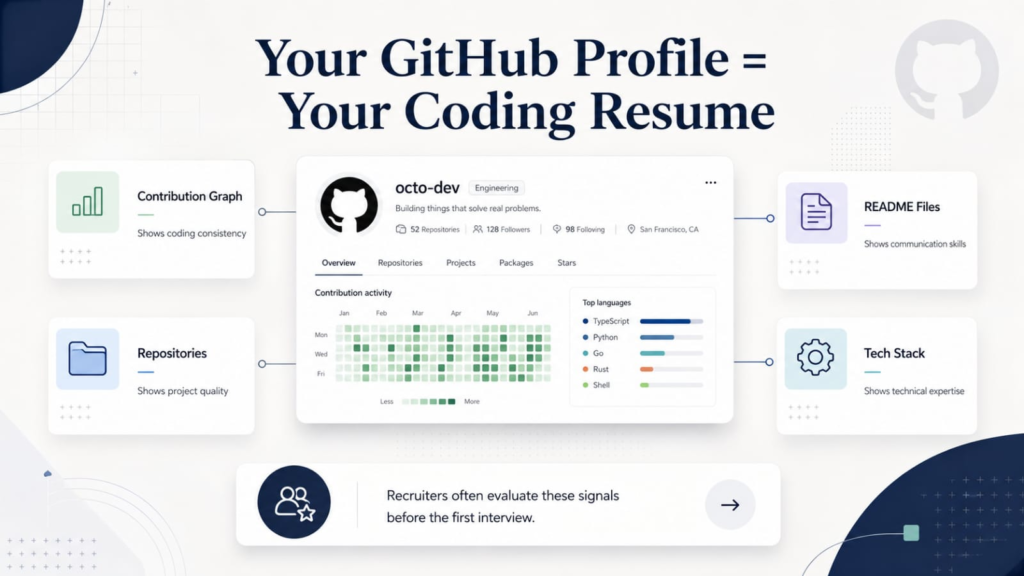
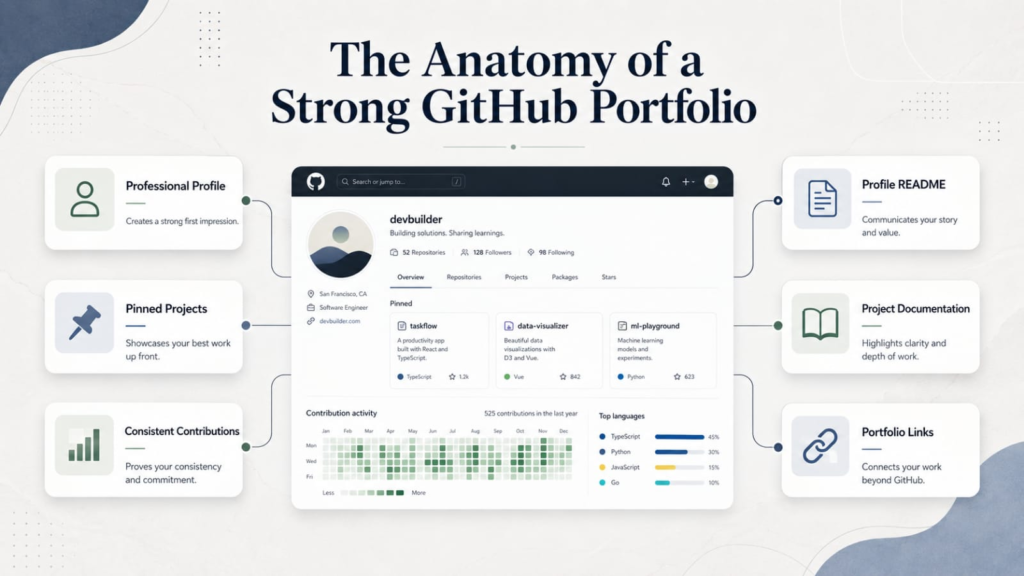
GitHub is an online space where programmers store their code and work together. So basically your GitHub portfolio comprises all of the stuff that is present in your public profile, i.e., your pinned projects, your contribution graph, your README files, and your commit history.
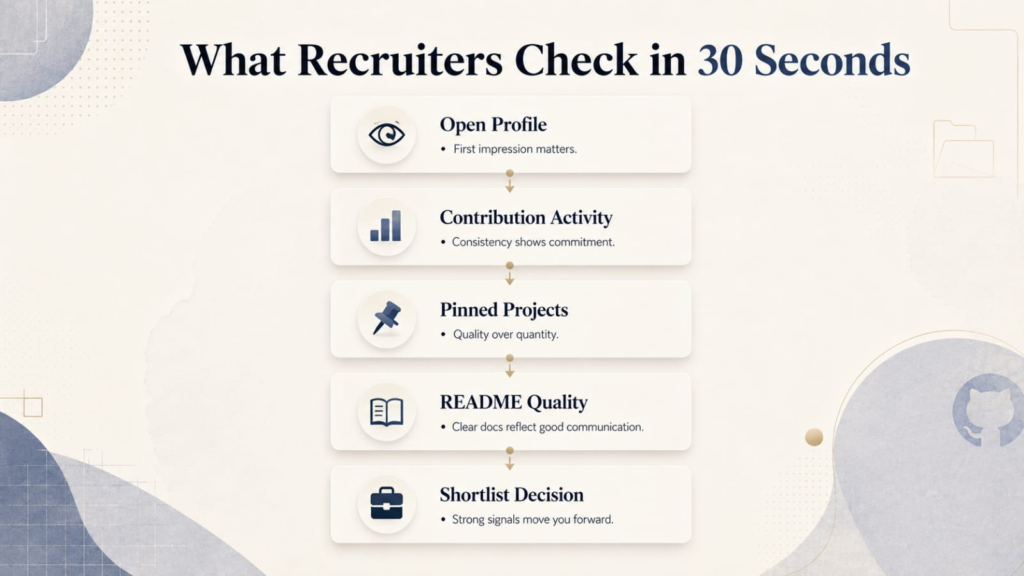
Here is the list of the things that a recruiter or hiring manager will look at in the first 30 seconds when he/she looks into your GitHub profile:
- How active you are (your contribution graph)
- What kind of projects you have worked on (your pinned repositories)
- How clearly you can communicate your work (your README files)
- What tech stack you are comfortable with
It is the difference between saying “I know React” on your resume and actually showing a deployed React application with clean code and proper documentation.
A great GitHub profile may make you stand out among hundreds of other people applying for the same positions in IT companies such as Persistent Systems, Infosys, TCS, and startups in the cities of Pune, Bangalore, and Hyderabad.
At Teknowell, we include GitHub portfolio building in each of our sessions as a separate skill-building session because we have seen its impact on our students’ placements. You can go through our placement process here.
Why Do Recruiters Check GitHub Before Calling You?
Let us be honest. A resume is easy to fake. But GitHub? Not so much.
Recruiters have caught on to this. Here are three real reasons why your GitHub profile matters more than your resume in 2025:
1. It proves your skills, not just claims them. Anyone can put “Proficient in Python” in their CV. However, when a recruiter can view your GitHub, where there is a machine learning project with quality code, good documentation, and a README that describes what the model does, that is a demonstration. It is particularly valued by recruiters working at product companies.
2. It shows consistency. The contribution graph on your GitHub profile says a lot. A recruiter can easily tell whether you program consistently or sporadically before looking for jobs. Consistent contributions indicate a real passion for coding. If you are aiming for MERN roles, here is what Pune companies look for in fresher MERN developers.
3. It shows how you think, not just what you know. The way you structure your code, write your commit messages, and document your projects tells experienced developers a lot about how you will perform on the job.
A LinkedIn survey found that candidates with an active GitHub profile are significantly more likely to get shortlisted for technical roles than those without one. For freshers with no prior work experience, your GitHub portfolio is one of the strongest signals you can send.
How to Build a GitHub Portfolio from Scratch: 7 Steps
Step 1: Set Up Your GitHub Profile the Right Way
First things first. Go to github.com and create an account if you do not have one.
Once you are in, do not skip your profile setup. This is where most freshers make their first mistake.
Here is what your profile should have:
- Professional username. Use your real name or at least something related to it. Don’t choose something like “coolguy123” or “techmaster99.”
- Professional-looking profile picture. It doesn’t need to be an official portrait, but at least recognisable for everyone.
- A short bio which contains information about yourself and what you are learning right now. For example: “Full Stack Developer in training | Learning MERN Stack | Open to offers from Pune.”
- Your location. Adding “Pune, Maharashtra” helps local recruiters find you.
- A link to your LinkedIn profile or personal website.
This takes 10 minutes. Do not skip it.
Step 2: Create a Profile README That Introduces You
GitHub lets you create a special repository with the same name as your username. Whatever you put in the README.md file of that repository shows up right on your GitHub homepage.
This is your chance to make a great first impression.
A good profile README should include:
- A short introduction about who you are and what you are working on
- The technologies you are comfortable with (you can use badge icons for this)
- Links to your LinkedIn, resume, and any live projects
- What you are currently learning or building
- A line about the kind of roles you are looking for
Keep it clean and readable. You do not need fancy design skills. A well-structured, honest README works better than something over-designed with nothing to say.
If you are unsure where to start, our Full Stack Development courses at Teknowell cover GitHub profile building as part of the curriculum, so you get hands-on practice with real feedback from trainers.
Step 3: Pin Your Best 4 to 6 Repositories
GitHub lets you pin up to 6 repositories to your profile. These are the first projects a recruiter will see.
Choose projects that:
- Demonstrate the skills relevant to the job you want
- Are complete, not abandoned halfway
- Have a clear README (more on this in the next step)
- If possible, are deployed and accessible via a live link
Do not pin everything. More pinned projects do not mean more impressiveness. Six well-documented projects beat fifteen messy ones every single time.
If you are applying for Full Stack roles, pin web applications. If you are targeting Data Science positions, pin machine learning projects or dashboards. For Cloud and DevOps roles, pin projects that demonstrate deployment, CI/CD pipelines, or containerization.
Our Data Science courses and Cloud Computing courses at Teknowell are built around real projects that you can directly add to your portfolio.
Step 4: Write a README File for Every Project
It is the step that will make your profile memorable and increase your chances of being shortlisted.
All the projects that you pin should have a README file. It is the first thing that a person will read after opening your repository. In case it is either empty or contains something like “my project,” then you will lose their interest.
Here is a simple template you can follow for every project README:
- Project Name and One-Line Description: What does this project do, in simple words?
- Tech Stack: What languages, frameworks, and tools did you use?
- Features: What can a user do with this project?
- Screenshots or Demo GIF: Show, do not just tell.
- How to Run Locally: Step-by-step instructions to set up the project.
- Live Demo Link: If the project is deployed, add the link here.
To create a README file, you might take 30 minutes for each of your projects, but it will give recruiters an idea that you know how important documentation is.
Step 5: Build a Consistent Contribution History
See that grid of green squares on your GitHub profile? That is your contribution graph. It shows how many commits, pull requests, and code reviews you have made each day over the past year.
You do not need to code for 8 hours every day. But committing something regularly, even a small bug fix, a new feature, an updated README, or a new mini-project, adds up fast.
Here are some practical ways to stay consistent:
- Work on personal projects in small chunks, not big weekend bursts
- Contribute to beginner-friendly open source repositories (search for “good first issue” on GitHub)
- Push the projects you are building as part of your course to your GitHub regularly
At Teknowell, students work on live projects as part of their internship, which runs simultaneously with the course. Those projects go straight to GitHub, which means by the time you finish your training, your contribution graph is already looking active. You can see how this works on our placements page.
Step 6: Add Projects That Prove Real, Job-Ready Skills
This step is crucial. The projects are the core of your portfolio.
The projects you decide to showcase should answer the following question: “Is this candidate able to do the job?”
Here is what recruiters want to see, based on the role you are targeting:
For Full Stack roles: Create full-stack apps, not just the frontend part or the backend part. For example, creating a project in which you designed the database, created an API, and connected it to the frontend.
For Data Science and ML roles: Show that you are able to work with real datasets, clean them, create a model, test it, and interpret the results. Projects focused on solving real-world problems (forecasting prices, text classification, recommendation systems).
For Cloud and DevOps roles: Projects that are deployed on AWS, GCP, or Azure, or that use Docker, Kubernetes, or CI/CD pipelines, tell recruiters you are not just theory-trained but hands-on ready.
The key is to add context. Do not just upload code. Write about what problem the project solves and why you built it.
Step 7: Link Your GitHub Everywhere
Once your profile is ready, make sure it is visible. Add your GitHub link to:
- Your resume, right below your name and contact details
- Your LinkedIn profile
- Your email signature
- Any job application form that has a “portfolio” or “personal website” field
You have done the hard work. Make sure people can actually find it.
10 Project Ideas to Add to Your GitHub Portfolio Right Now
Not sure what to build? Here are 10 project ideas sorted by role.
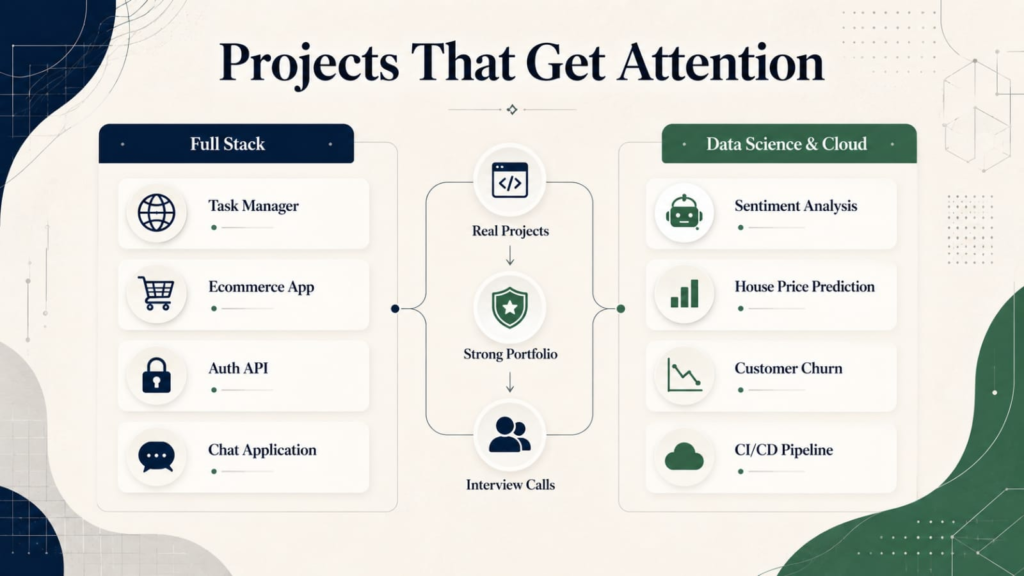
For Full Stack Developers
- Task Manager App: A to-do application with user authentication, CRUD operations, and a database. Beginner-friendly and highly relevant. Tools: React, Node.js, MongoDB.
- E-commerce Store Clone: Build a simplified version of a shopping website with a product listing page, cart, and checkout flow. Tools: MERN or Django + React.
- REST API with Authentication: A backend API with JWT-based login, role-based access, and proper error handling. This is what every company’s backend looks like. Tools: Node.js or Spring Boot.
- Real-Time Chat Application: A chat app using WebSockets shows you understand real-time communication. Tools: Socket.io, React, Node.js.
- Personal Portfolio Website: Yes, build your own portfolio site and host it. It shows frontend skills and initiative at the same time.
For Data Science and ML
- Sentiment Analysis on Product Reviews: Scrape or use a public dataset of product reviews and build a model that classifies them as positive or negative. Tools: Python, NLTK or Hugging Face, Flask for deployment.
- House Price Prediction: A classic supervised learning project using regression. Shows you can clean data, engineer features, train a model, and evaluate results. Tools: Python, Pandas, Scikit-learn.
- Customer Churn Prediction: A business problem that companies genuinely care about. Build a classification model that predicts whether a customer will leave. Tools: Python, Scikit-learn, Seaborn.
For Cloud and DevOps
- Automated CI/CD Pipeline: Set up a pipeline that runs tests and deploys a web app automatically when you push code to GitHub. Tools: GitHub Actions, AWS EC2 or Heroku.
- Containerized Web Application: Take any web app and containerize it using Docker, then deploy it. Add Kubernetes configuration if you want to go a step further. Tools: Docker, Kubernetes, AWS or GCP.
If you are looking to build projects like these with mentor support and live feedback, our upskilling courses at Teknowell are a great place to start, and every student gets simultaneous internship experience with real-world project work.
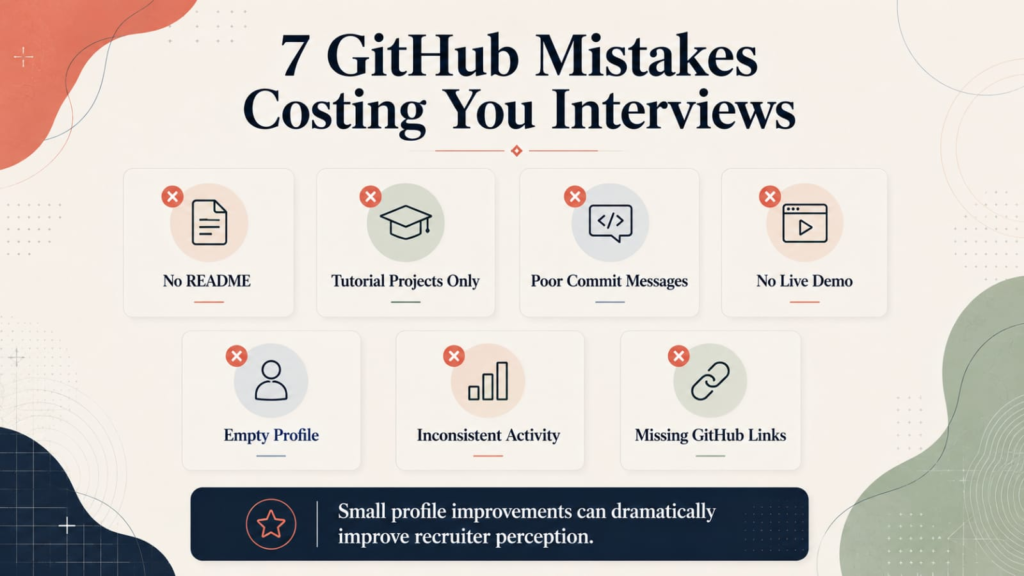
7 GitHub Mistakes That Are Costing You Interview Calls
Before we wrap up the how-to section, let us talk about what NOT to do. These are the most common mistakes that freshers make, and fixing them can immediately improve how your profile is perceived.
Mistake 1: Empty repositories with no README. Uploading code without a single line of explanation is almost worse than having no project at all. A recruiter who opens a repository and sees raw code with zero context will simply close the tab.
Mistake 2: Uploading only tutorial code. Copying along with a YouTube tutorial is fine for learning. But if your GitHub only has tutorial projects with the same names as the tutorials (“React Todo App,” “Django Blog Tutorial”), it signals that you have not gone beyond the basics. Add your own twist, features, or a completely original project.
Mistake 3: Vague or missing commit messages. Commit messages like “update,” “fix,” or “final final v2” show poor communication habits. Write messages that explain what changed and why. Example: “Add user authentication with JWT tokens.”
Mistake 4: No live demo or deployment link. If your project works on your laptop but is not deployed anywhere, you are making the recruiter take your word for it. Deploy your projects on free platforms like Vercel, Netlify, Render, or Railway, and add the link to your README.
Mistake 5: Leaving your profile bio blank. First impressions start at the top of your profile. An empty bio, no location, and no profile photo send a signal that you are not serious about being found.
Mistake 6: Coding only in bursts. A contribution graph that shows zero activity for three months, then a sudden burst of 50 commits, looks like last-minute job-hunting activity. Recruiters notice this. Code a little every day.
Mistake 7: Not linking GitHub on your resume and LinkedIn. You can have the most impressive GitHub profile in the world, but if no one knows it exists, it does not help you. Put it front and center.
Your GitHub Portfolio Is Your Digital First Impression
If there is one thing to take away from this guide, it is this: your GitHub portfolio is not optional anymore. It is expected.
Recruiters in the Indian IT market are shortlisting candidates with portfolios right now. Every day you wait is a day another candidate with a stronger GitHub profile gets the callback you deserve.
Start with Step 1. Set up your profile today. Pick one project from the list. Write a proper README. Push your code. Repeat.
The first profile looks messy. The second one looks better. By the sixth project, you have something that can genuinely open doors.
Want Help Building a Portfolio That Actually Gets You Hired?
At Teknowell EduTech, every course includes hands-on projects, live internships, and free skill sessions on GitHub profile building, LinkedIn optimization, and mock interviews.
Our trainers have 10 or more years of industry experience, and our placement team supports you with unlimited interview calls until you land the right role.
Book a Free Demo Session and see how it works no commitment, no pressure, just a clear picture of what your IT career can look like.